
Blur number plates in your car videos. Automatically.
PlateOff finds every plate in a video or photo, follows it frame by frame and blurs it, fitted to the plate itself. It all happens on your iPhone: nothing is uploaded unless you choose to send it.
- Videos and photos
- Works offline
- Free to start
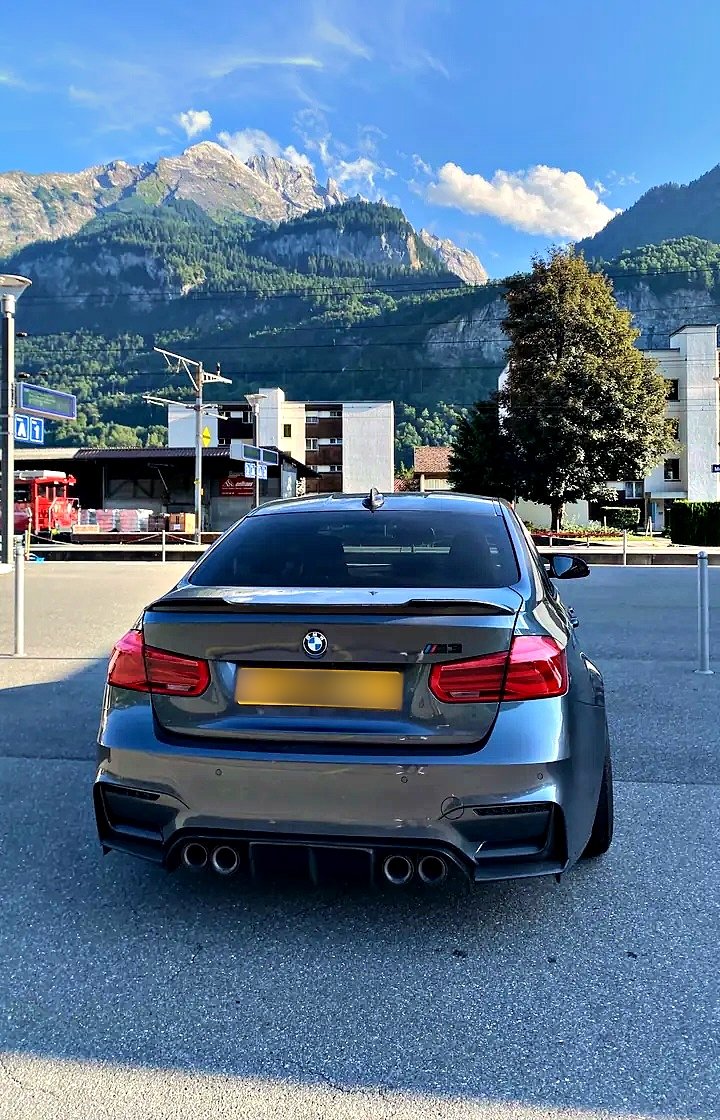
 BeforeAfter
Drag to compare
Three steps, then post
Pick your videos or photos
Add several at once and carry on using your phone.
PlateOff finds every plate
It follows each plate frame by frame as the car or the camera moves.
Check it and save
Untick anything you want to keep sharp. Each one is saved to your Photos when it's done.
A blur that looks like it belongs there
Fitted to the plate
Angled like the plate itself, not a big box over your grille.
Stays on when things move
Follows plates as the car or the camera moves, so the blur doesn't drop out.
You check it
Untick anything you want to keep sharp, or tap to add a blur yourself.
Private
Works offline. Your videos and photos stay on your phone unless you choose to send one to us, and location details are removed from saved photos.
Your real photo, not an AI remake
AI image apps redraw the whole picture, and their files usually carry tags saying they were made with AI, which Instagram and Facebook can read to show an "AI info" label.
PlateOff only blurs the plates and faces, on your phone. The rest of your photo or video is exactly what you shot, and PlateOff adds no AI tags, so it won't be flagged as AI-made.
Blurred with PlateOff
Straight out of the app, no editing.
Free for most posts
Free
Everything you need for Reels and photos
- Unlimited photos at full quality, no watermark
- Unlimited videos up to 60 seconds, in 1080p
- A small PlateOff mark on videos
Pro
For longer videos and the best quality
- Any length
- 4K, HDR and slow-mo
- No watermark
- Face blur
- HD quality boost
Questions
Does it upload my videos?
No. Finding and blurring plates happens on your phone, and works offline. Nothing is uploaded unless you turn on "Help improve PlateOff" in Settings or tap "Report a bad blur" on a result: then that photo or video (location and camera details removed) is sent to us only to fix the blur, and deleted once checked.
Why not just ask an AI app to blur it?
An AI image app makes a new picture rather than editing yours: details can change, video usually isn't an option, and the file is often tagged as AI-made, which Instagram and Facebook can show as an "AI info" label. PlateOff blurs only the plates and faces on your phone, keeps the rest of your photo or video as shot, and adds no AI tags.
How long does it take?
It depends on your phone, because all the work happens on it: a newer phone blurs faster. Add several at once and carry on using your phone: each one is saved to your Photos when it's done.
What's free?
Unlimited photos at full quality with no watermark, and unlimited videos up to 60 seconds in 1080p with a small PlateOff mark. Pro adds any length, 4K, HDR and slow-mo, no watermark, face blur and HD quality boost.
It missed a plate, or blurred something it shouldn't
On the Check screen untick anything you want to keep sharp. On a photo, tap anywhere to add a blur yourself. PlateOff's plate finder improves over time and updates by itself.
How do I restore Pro on a new phone?
Settings (the cog) > Restore purchases, signed in with the same Apple ID. There's no account to log in to.
How do I cancel?
iPhone Settings > your name > Subscriptions > PlateOff. Cancel at least 24 hours before it renews.
Saving fails
Allow PlateOff to add to Photos: iPhone Settings > PlateOff > Photos. Very long 4K videos need free storage roughly the size of the video.